Professional Features
The Professional version has all the features from TimeSnapper Classic, plus these new features.
Productivity Calculator
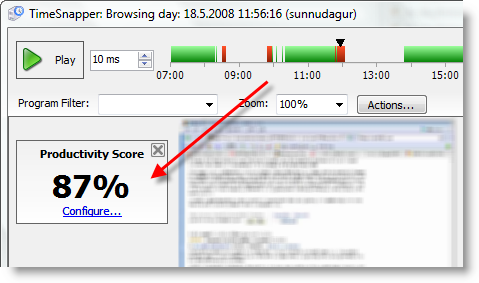
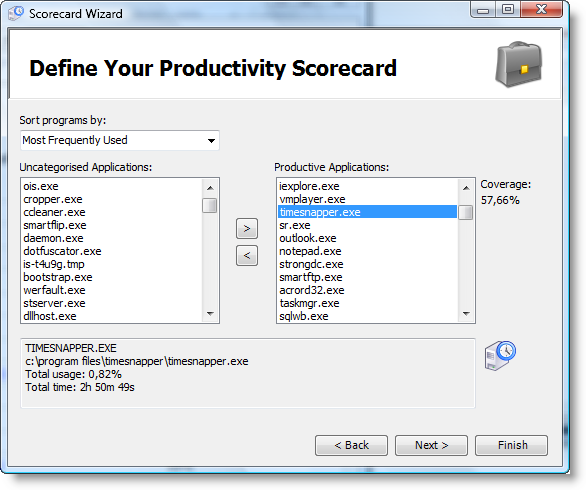
You can have TimeSnapper calculate how productive you are. You just tell TimeSnapper which programs make you productive and we'll take care of the rest. This is all handled through a simple wizard interface.
It'll feel just like being back in school! Although you don't have to show anyone your grades if you prefer not to.
Here you can see an example. The numbers have been changed to protect the innocent...
Here is a screenshot of the Productivity Wizard:
Reports
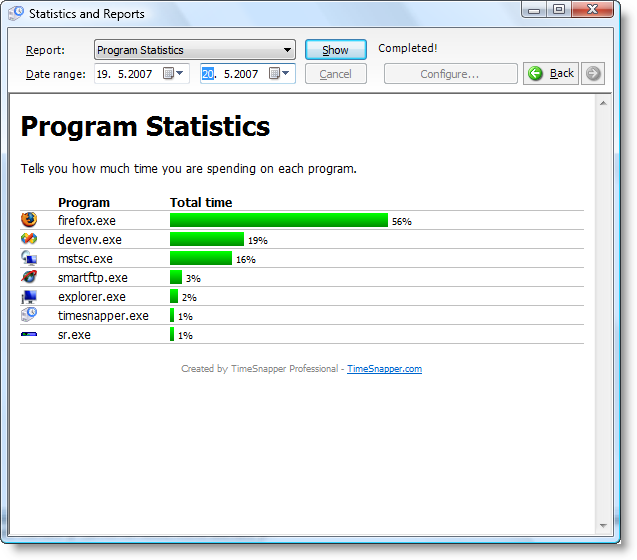
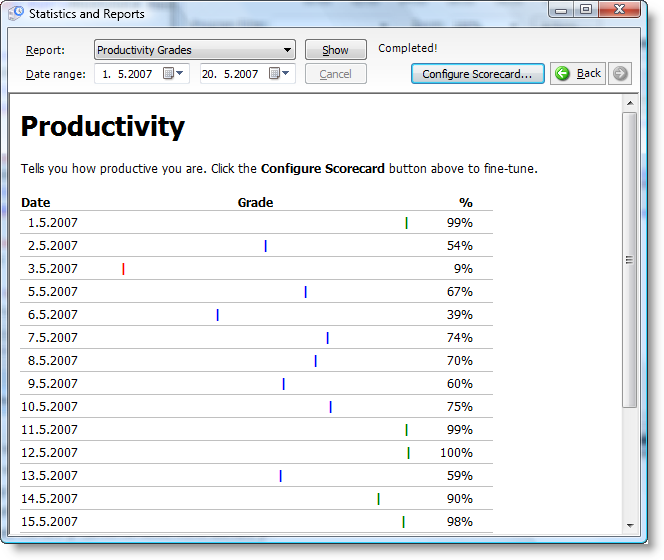
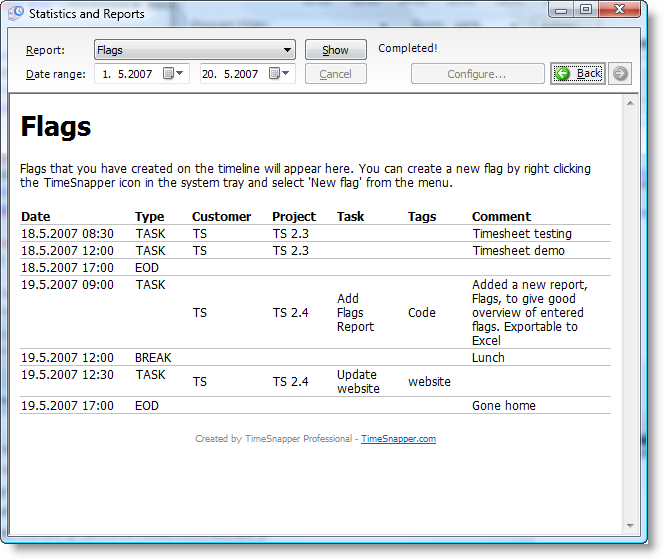
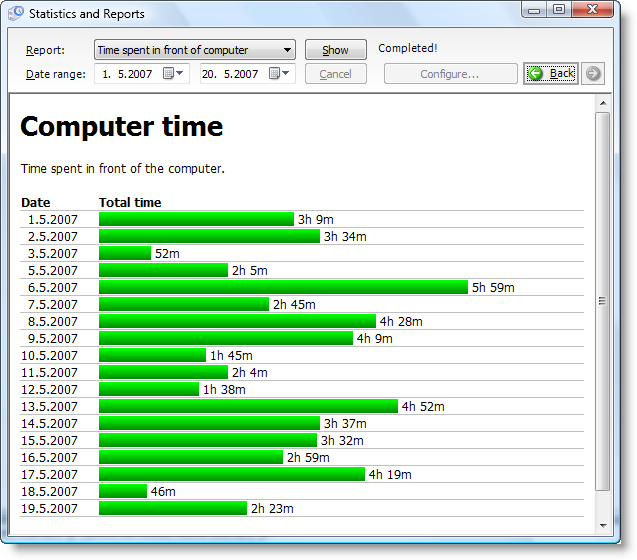
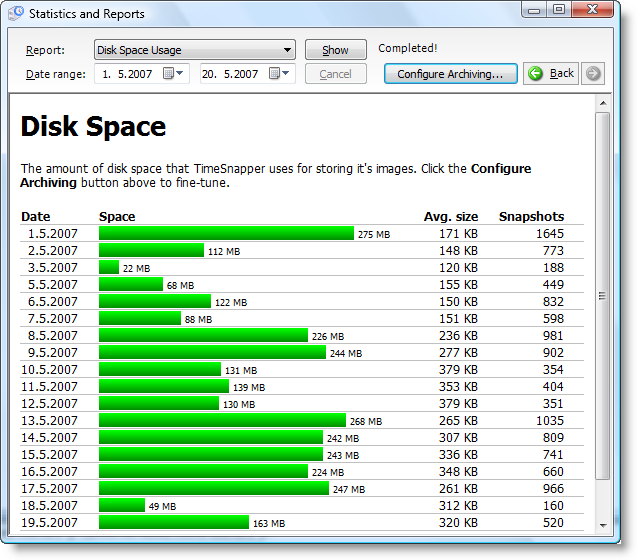
TimeSnapper contains 4 new reports (and a lot more to come!) - to help you analyze what you've been up to. We think a picture says more than thousand words (hey! That's why we created TimeSnapper in the first place!) so let's demonstrate the reports visually.
Quick Filter
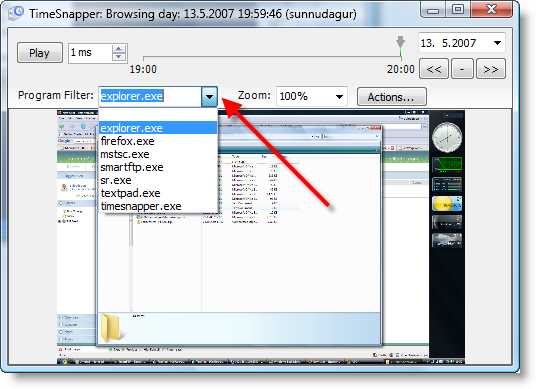
Lets you view only the screenshots you're interested in.
Filters
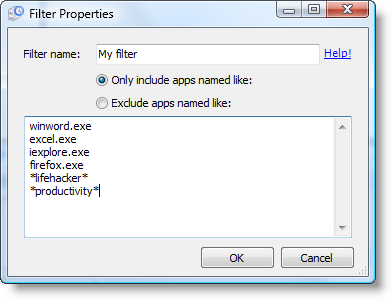
You can use a filter to make sure you only record the programs you want to record.
For example:
Don't record when I'm using MineSweeper
or: only record when I'm using Microsoft Excel
Filters are configured right on the startup screen:
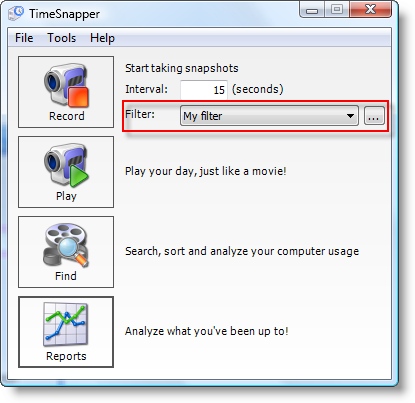
You can have as many filters as you need:
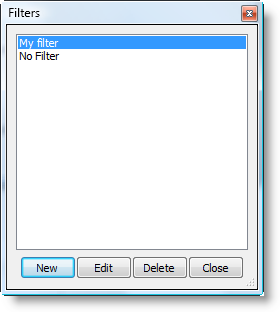
And each filter has its own set of files to include or exclude:
Flags
Ability to add a note to any point in time.
For example: record when a phonecall occurred, or when you switched task.
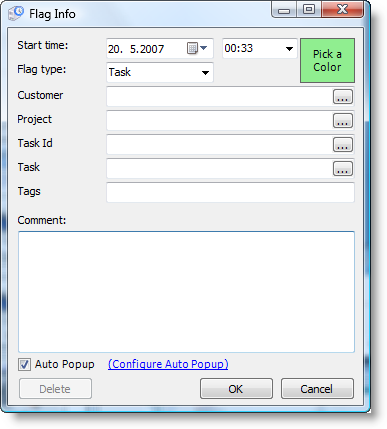
Use this feature to pinpoint important moments in your day. These flags will show up in the day browser's timeline.
Shortcuts Menu
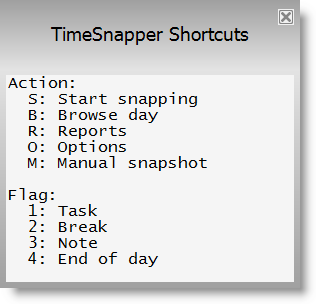
Hit [Windows-Key]+"S" to bring up the TimeSnapper shortcuts menu.
A Few More Screenshots
There's a few more screenshots on the screenshots page. Or if you're already convinced, you might like to Download Now. Thank you!